在线AI教程 / AI部署
[Amazon Bedrock] NVIDIA Nemotron 3.5 Super VL 现已在 Amazon SageMaker JumpStart…
NVIDIA Nemotron 3.5 Super VL 现已在 Amazon SageMaker JumpStart 中提供 今天,我们宣布 NVIDIA Nemotron 3.
NVIDIA Nemotron 3.5 Super VL 现已在 Amazon SageMaker JumpStart 中提供
今天,我们宣布 NVIDIA Nemotron 3.5 Super VL 已在 Amazon SageMaker JumpStart 中提供。你可以在 SageMaker Studio 中通过几个步骤部署它,也可以用几行 SageMaker Python SDK 代码完成部署。Super VL 是 NVIDIA Nemotron 3.5 家族中的视觉语言模型(VLM)。它接受图像、视频和文本作为输入,并生成文本。
该模型将一个 1,200 亿参数的混合 Mixture-of-Experts(MoE)语言主干(120 亿激活参数)与一个 C-RADIO 视觉编码器组合在一起。它支持最长 100 万 token 的上下文长度,并内置一个支持 speculative decoding 的 Multi-Token Prediction(MTP)头。你可以按请求配置 reasoning。
NVIDIA 打造 Super VL,面向文档智能、computer-use agent 的 GUI 理解、视频问答以及多模态 agentic 应用。JumpStart 提供两个变体:NVFP4(从 BF16 经量化感知蒸馏量化而来,用于优化推理)和 BF16 全精度参考权重。在本文中,我们将介绍该模型的能力与 JumpStart 部署配置,然后展示实测推理性能,并演示文本、图像和视频推理。
模型概览
Nemotron 3.5 Super VL 是一个 1,200 亿参数的模型,每个 token 的激活参数为 120 亿。它将混合语言主干与专用视觉编码器结合在一起。
语言主干:88 层,将 Mamba-2 与 MoE 层(512 个路由专家,每个 token 激活 22 个)和 8 个 attention 层交错排列,外加一个共享 MTP 头。该主干从 Nemotron 3 Super Base 初始化,并从 Nemotron 3 Ultra Base 蒸馏而来。 视觉编码器:C-RADIO 视觉编码器对图像和采样的视频帧进行编码,视觉语言连接器将它们映射到语言主干的 embedding 空间。在两个变体中,编码器和连接器都保持 BF16。 训练:模型首先经历持续预训练、长上下文与软件工程 mid-training,以及视觉语言训练。然后在视觉、reasoning、代码、工具、聊天、安全和长上下文数据上进行两阶段多模态监督微调(SFT)。接下来是在 NeMo RL 和 NeMo Gym 中基于可验证奖励与人类反馈的强化学习(RL)、多教师 on-policy 蒸馏,以及进一步训练 MTP 头的最后阶段。NVFP4 checkpoint 由 BF16 借助 NVIDIA Model Optimizer 和量化感知蒸馏生成。它将视觉编码器、连接器、Mamba 卷积和 embedding 保持在 BF16,MoE router 保持在 FP32。它在 Blackwell GPU 上以 4-bit 权重和激活(W4A4)运行。
下表比较了 JumpStart 中提供的两个变体的规格。
规格NVFP4BF16 参数共 1,200 亿,激活 120 亿共 1,200 亿,激活 120 亿 适用场景优化推理(延迟与吞吐量)用于定制的全精度参考权重:SFT、RL、蒸馏、领域适配和自定义量化 输入 / 输出图像、视频、文本 / 文本图像、视频、文本 / 文本 上下文长度最长 100 万 token(JumpStart 服务配置使用 520 到 15,600 token)相同 Checkpoint 大小约 75 GB约 249 GB JumpStart 实例ml.g7.24xlarge(默认)、ml.g7.48xlargeml.p5en.48xlarge Speculative decoding内置 MTP 头。JumpStart 服务配置中未启用相同 LoRA adapter 服务否否 语言英语、法语、德语、意大利语、日语、西班牙语、中文相同 Reasoning默认开启。可通过 enable_thinking 配置相同 输出Tool calling、JSON schema 输出、可配置 reasoning相同 许可证OpenMDW License Agreement, version 1.1相同
主要用例
Super VL 面向必须能看会读的 agentic 工作负载。它针对的是将 reasoning、编码、工具使用、文档理解和视频理解结合起来的视觉语言 agent。
文档智能:光学字符识别(OCR)、图表、表格和多页文档。每张 1,536 x 1,024 的页面图像大约消耗 1,536 token 的上下文。JumpStart 服务配置每个请求接受一张图像和一个视频。 GUI 理解:为操作应用程序的 computer-use agent 提供屏幕 grounding 与 reasoning。 视频理解:分析并总结短 MP4 视频片段,包括回答关于视觉内容的问题。你可以将视频以 base64 编码内容内联提供,但受 endpoint 请求负载大小限制。 多模态 agent:Tool calling、通过 response_format 的 JSON schema 输出以及可配置 reasoning,支持多模态 agent 工作流。 定制(BF16):下载 BF16 参考权重,用于 SFT、RL、蒸馏、领域适配或创建自己的量化变体。JumpStart endpoint 仅提供基础权重服务,不加载 LoRA adapter。
模型质量基准
NVIDIA 模型卡报告了两个 checkpoint 在 reasoning、编码、agentic、长上下文和多模态基准上的结果,评估设置保持不变,因此只有 checkpoint 不同。下表重点列出了与视觉语言工作负载最相关的多模态基准(reasoning 开启)。
基准能力BF16NVFP4 MMLongBench-Doc长文档多模态理解62.8262.82 OCRBench v2, ENOCR 与文档理解68.1268.34 CharXiv reasoning图表与图形 reasoning80.8279.88 Video-MME v2视频理解32.8532.54 OSWorld-Verified视觉 computer use 与 agentic 任务51.1452.30
作为 JumpStart 默认选项的 NVFP4 在 MMLongBench-Doc 上与 BF16 持平,在其余基准上差距约在一分以内,在 OCRBench v2 和 OSWorld-Verified 上得分略高。要查看与其他公开可用模型的完整比较以及评估设置,请参阅 NVIDIA Nemotron 3.5 Super VL and Lightning Technical Report。
SageMaker JumpStart 上的推理性能
我们使用 JumpStart 发布容器,在 generate 工作负载配置下测量了推理性能:250 个输入 token、1,500 个输出 token、五个并发流式请求。吞吐量是每个请求每秒输出 token 数的平均值,首个 token 时间是各请求的平均值。
实例类型变体每请求输出吞吐量(平均)首个 token 时间(平均) ml.g7.24xlargeNVFP463.07 token/秒0.45 秒 ml.g7.48xlargeNVFP464.01 token/秒0.51 秒 ml.p5en.48xlargeBF16140.85 token/秒0.53 秒
这些结果展示了通过 JumpStart 可用的部署选择。NVFP4 变体在 G7 实例上运行,GPU 占用更小。ml.p5en.48xlarge 上的 BF16 变体在本次测试中达到了每请求每秒 140.85 个输出 token。三种配置的首个 token 时间都保持在约半秒。由于两个变体运行在不同的 GPU 系统和配置上,这些测量并不是孤立的 BF16-versus-NVFP4 精度比较。更长的 prompt 会改变情况:在 summarize 配置(10,000 个输入 token)下,ml.g7.24xlarge 上的首个 token 时间为 12.62 秒。
支持的实例
SageMaker JumpStart 在以下经过验证的实例类型上支持 Nemotron 3.5 Super VL。NVFP4 在配备 NVIDIA RTX PRO 4500 Blackwell Server Edition GPU 的 G7 实例上运行,BF16 在配备 NVIDIA H200 GPU 的 P5en 实例上运行。NVFP4 的 JumpStart 默认实例是 ml.g7.24xlarge,它是 generate 配置的推荐起点。
变体实例类型GPUGPU 显存Tensor parallel NVFP4ml.g7.24xlarge(默认)4x NVIDIA RTX PRO 4500 Blackwell Server Edition128 GB4 NVFP4ml.g7.48xlarge8x NVIDIA RTX PRO 4500 Blackwell Server Edition256 GB8 BF16ml.p5en.48xlarge8x NVIDIA H2001,128 GB8
checkpoint 包含 MTP 头,但 JumpStart 服务配置未启用 speculative decoding。
使用 SageMaker JumpStart 部署 Nemotron 3.5 Super VL
你可以从 SageMaker Studio、使用 SageMaker Python SDK,或从 Hugging Face 模型页面部署该模型。
前提条件
部署之前,请确保你具备以下条件:
一个有权限创建 Amazon SageMaker AI endpoint 的 AWS 账户。 一个可访问 SageMaker AI 的 AWS Identity and Access Management(IAM)角色。 ml.g7.24xlarge、ml.g7.48xlarge 或 ml.p5en.48xlarge endpoint 使用的服务配额。新账户的 ml.g7 配额从零开始,因此请在部署前通过 Service Quotas 申请提升。 如果走 SDK 路径,需要 SageMaker Python SDK v3(3.25 或更高版本)。
从 SageMaker Studio 部署
要从 SageMaker Studio 部署该模型,请完成以下步骤:
打开 SageMaker Studio,在导航窗格中选择 JumpStart。 在搜索栏中输入 Nemotron 3.5 Super VL。搜索结果会列出两个变体,如下图所示。 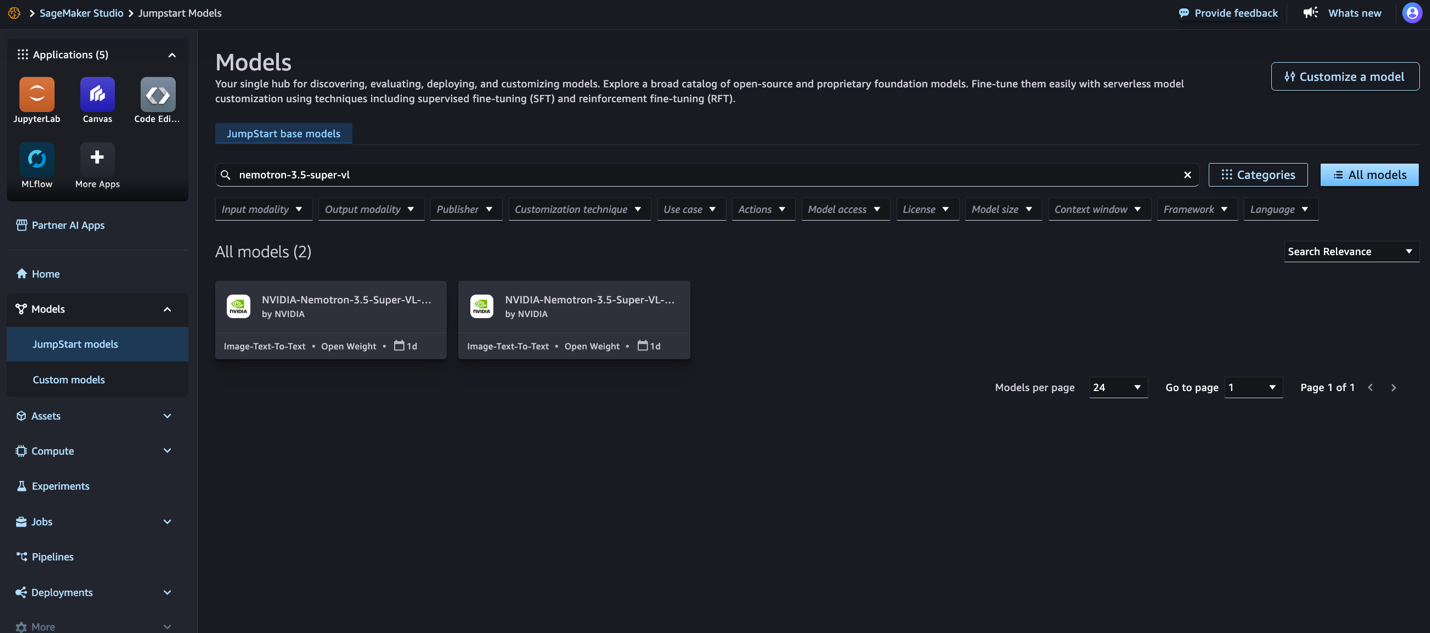 图 1:在 SageMaker JumpStart 中搜索 NVIDIA Nemotron 3.5 Super VL 选择要部署的变体的模型卡。要在 G7 实例上进行优化推理,请选择 NVFP4。下图展示了 NVFP4 模型卡。
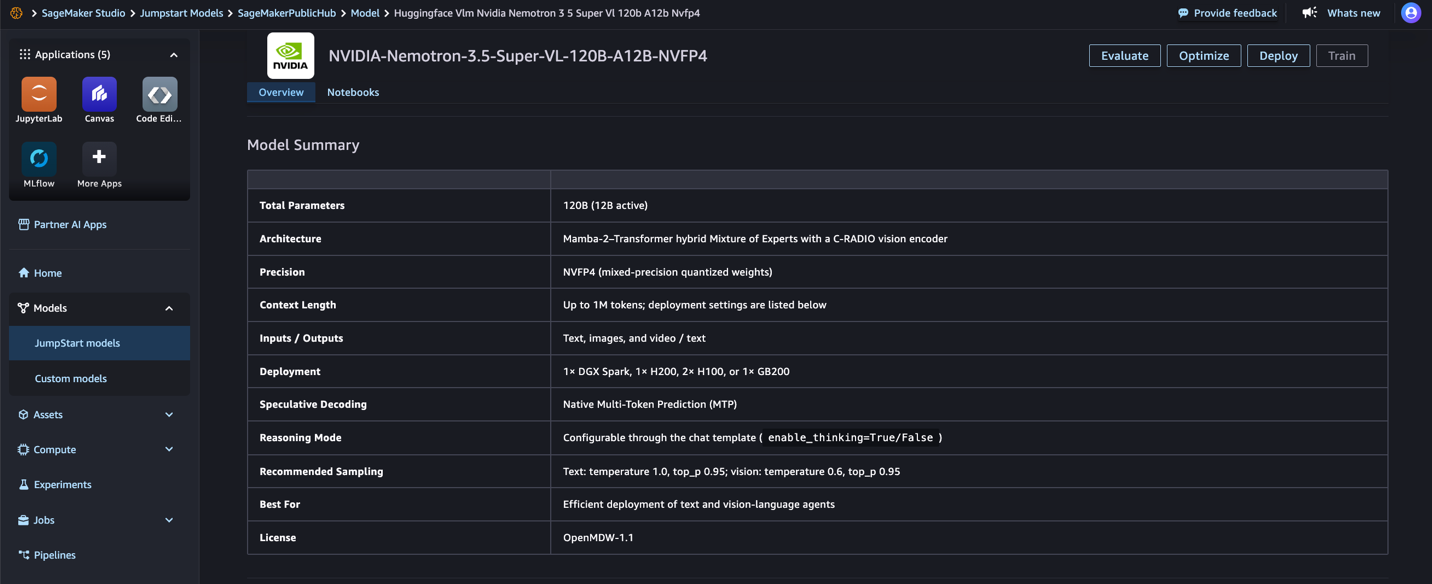 图 2:SageMaker JumpStart 中的 NVIDIA Nemotron 3.5 Super VL NVFP4 模型卡 如果你需要 ml.p5en.48xlarge 上的全精度参考权重,请选择 BF16。下图展示了 BF16 模型卡。
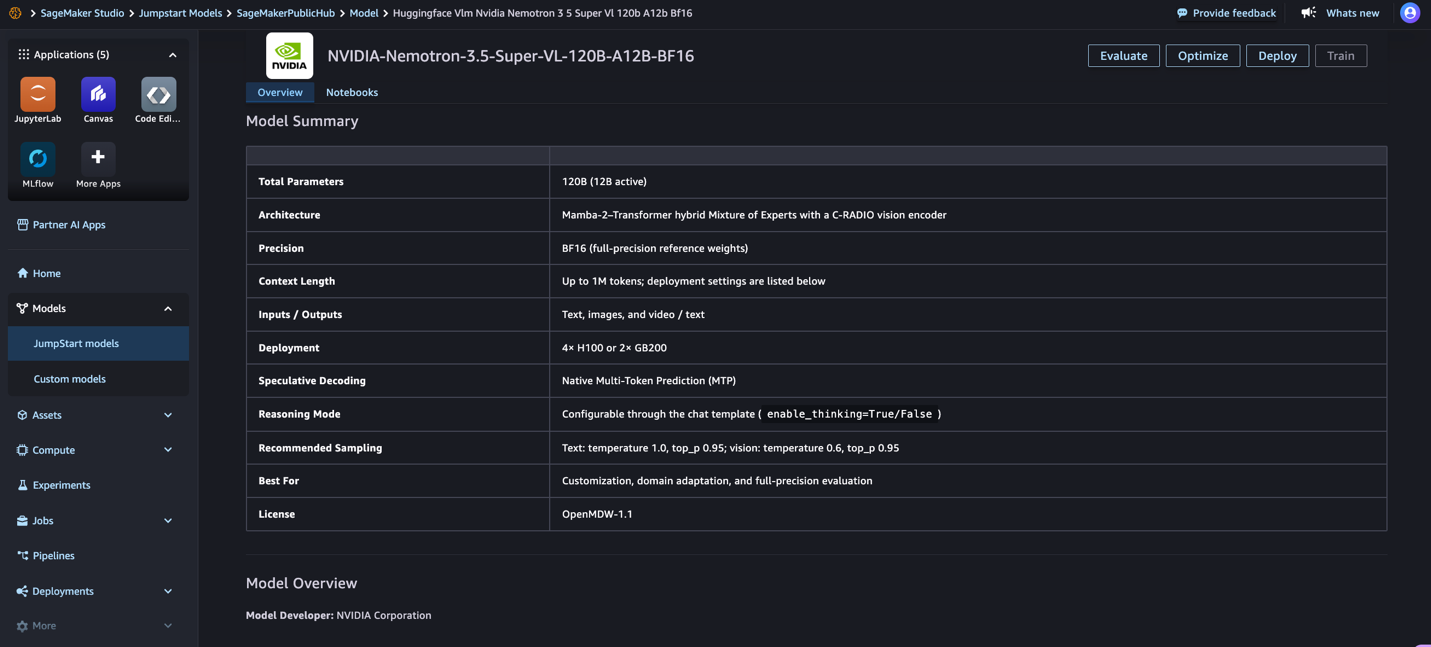 图 3:SageMaker JumpStart 中的 NVIDIA Nemotron 3.5 Super VL BF16 模型卡 在模型卡上,查看模型详情和许可条款,然后选择 Deploy。下图展示了部署前可以查看的模型详情。
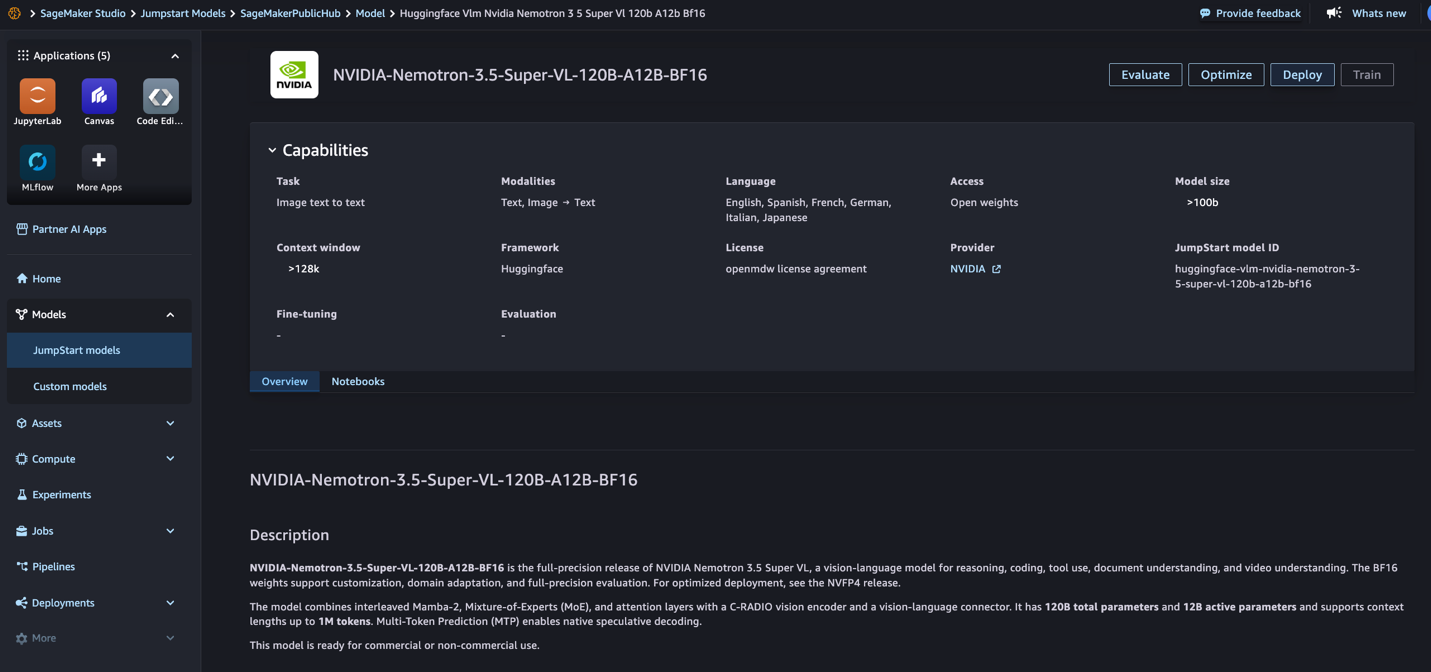 图 4:部署前查看 Nemotron 3.5 Super VL 的能力与模型详情 对于 Instance type,保留默认值(NVFP4 为 ml.g7.24xlarge,BF16 为 ml.p5en.48xlarge),或选择其他受支持的实例类型。然后选择 Deploy。 等待 endpoint 状态变为 InService 后再调用模型。在 ml.g7.24xlarge 上部署大约需要 10 分钟。下图展示了正在进行的部署。
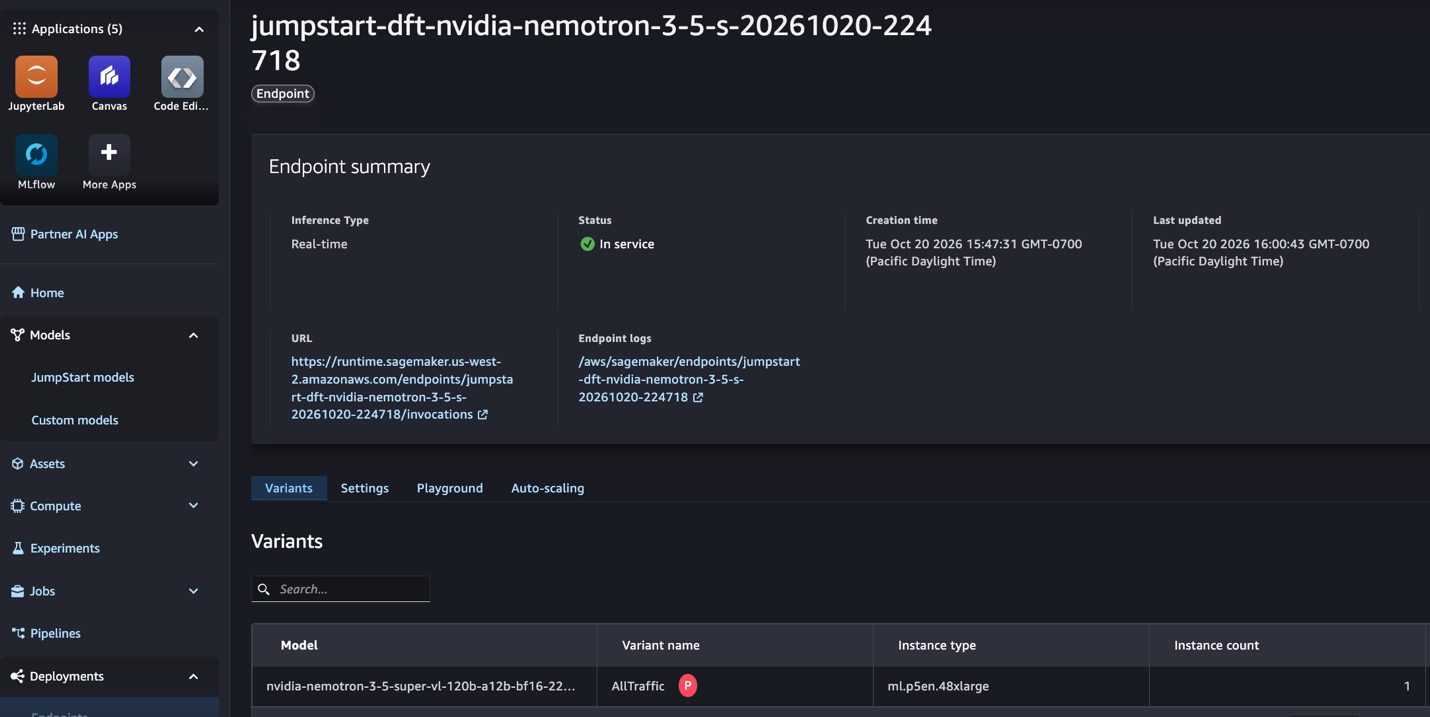 图 5:状态到达 InService 之前正在进行的 SageMaker endpoint 部署
使用 SageMaker Python SDK 部署
Install the SageMaker Python SDK v3: pip install "sagemaker>=3.25"
from sagemaker.core.helper.session_helper import get_execution_role from sagemaker.core.jumpstart.configs import JumpStartConfig from sagemaker.core.training.configs import Compute from sagemaker.serve import ModelBuilder
BF16 variant: model_id "huggingface-vlm-nvidia-nemotron-3-5-super-vl-120b-a12b-bf16" on ml.p5en.48xlarge.
jumpstart_config = JumpStartConfig( model_id="huggingface-vlm-nvidia-nemotron-3-5-super-vl-120b-a12b-nvfp4", inference_config_name="modify_best_price_performance", ) model_builder = ModelBuilder.from_jumpstart_config( jumpstart_config=jumpstart_config, role_arn=get_execution_role(), compute=Compute(instance_type="ml.g7.24xlarge", instance_count=1), ) model_builder.build() endpoint = model_builder.deploy(endpoint_name="nemotron-3-5-super-vl")
该示例使用 SageMaker Python SDK v3 的类:JumpStartConfig 指定模型,ModelBuilder 构建并部署它,deploy 返回一个 Endpoint 资源。请在 Compute 中传入实例类型,因为缺少实例类型时 SDK 会回退到 ml.m5.large,随后构建就会失败。deploy 调用会一直等待到 endpoint 变为 InService,在 ml.g7.24xlarge 上大约需要 10 分钟。
inference_config_name 参数选择一个服务配置,每个配置设定不同的上下文长度。默认的 generate 配置提供 2,275 token 的上下文,面向短 prompt。summarize 配置提供 13,650 token,modify 配置提供 15,600 token。该示例使用 modify 配置,因为本文中的推理示例(尤其是图像、视频和 reasoning 请求)需要更大的上下文。后面的所有推理示例都假定使用 modify 配置。
从 Hugging Face 部署
你也可以从该模型的 Hugging Face 模型页面部署:选择 Deploy,然后选择 Amazon SageMaker AI,继续进入 SageMaker 部署工作流。
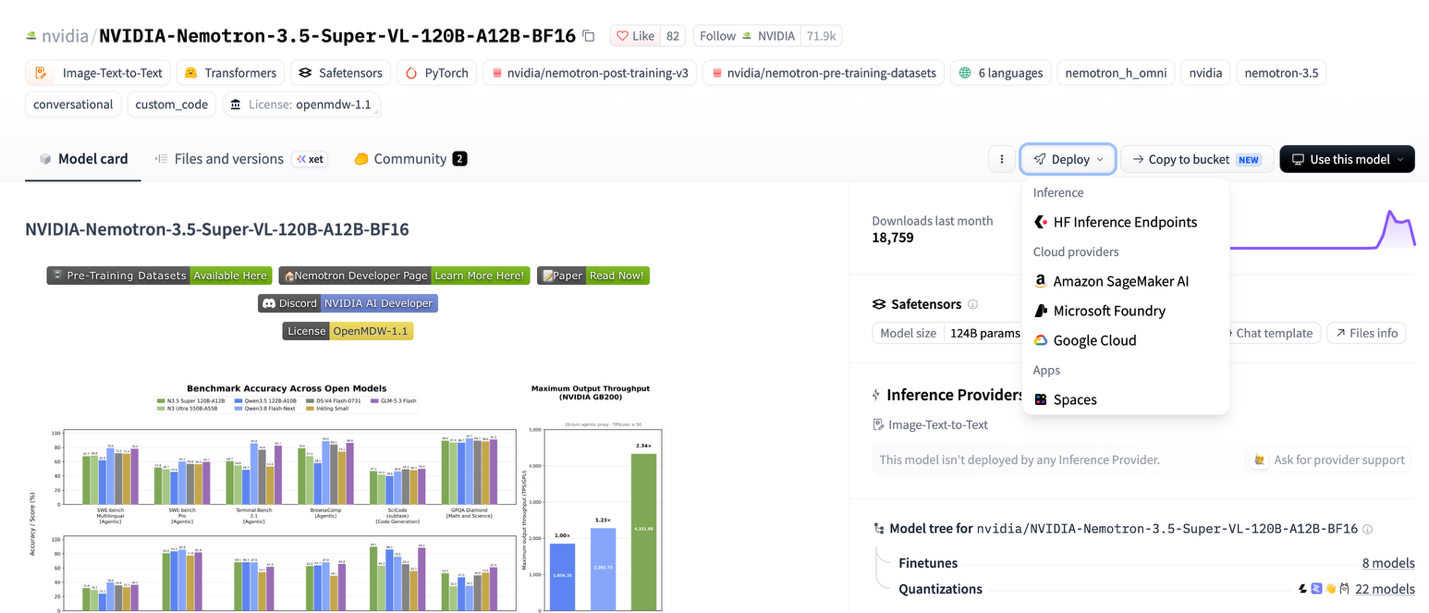
图 6:Hugging Face 上带 Deploy 菜单的 NVIDIA Nemotron 3.5 Super VL 模型页面
在部署菜单中,选择 Amazon SageMaker AI 以打开 SageMaker 部署工作流,如下图所示。
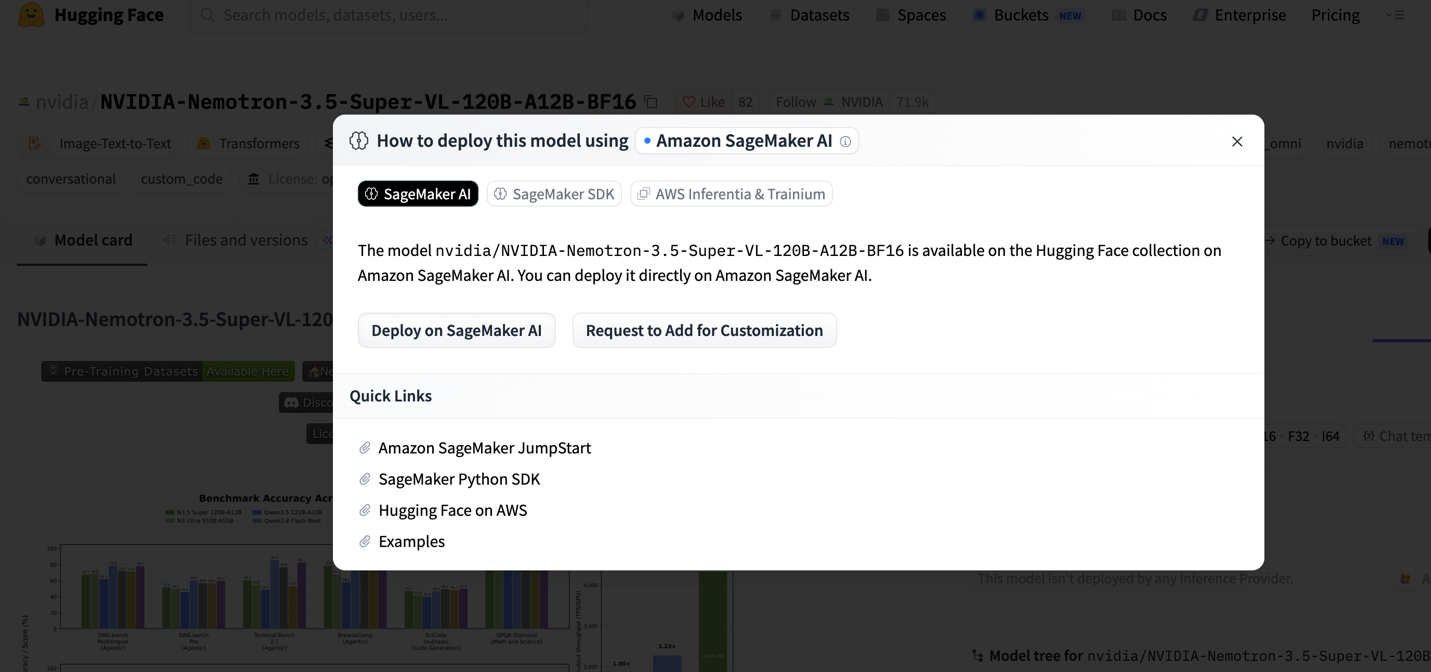
图 7:在 Hugging Face 部署工作流中选择 Amazon SageMaker AI
endpoint 变为 InService 之后,你就可以向它发送推理请求。
运行推理
JumpStart endpoint 暴露了一个由 vLLM 驱动的 chat completions API,因此应用可以使用熟悉的聊天消息格式发送推理请求。NVIDIA 建议文本请求使用 temperature 1.0 和 top_p 0.95,图像和视频请求使用 temperature 0.6 和 top_p 0.95。你必须将媒体以 base64 data URL 内联发送,因为 endpoint 在网络隔离下运行,无法抓取 URL。
文本,开启 reasoning
Reasoning 默认开启,你可以按请求配置。reasoning 文本在消息的 reasoning 字段中返回,与 content 分开。
import json
payload = { "messages": [{"role": "user", "content": "Explain the difference between OCR and document understanding."}], "max_tokens": 2000, "temperature": 1.0, "top_p": 0.95, } response = endpoint.invoke( body=json.dumps(payload), content_type="application/json", accept="application/json" ) result = json.loads(response.body.read()) print(result["choices"][0]["message"]["reasoning"]) print(result["choices"][0]["message"]["content"])
图像,关闭 reasoning
对于直接抽取式任务,你可以在 chat_template_kwargs 中设置 enable_thinking=False 来关闭 reasoning。
import base64
with open("invoice.png", "rb") as f: image_b64 = base64.b64encode(f.read()).decode("utf-8")
payload = { "messages": [{ "role": "user", "content": [ {"type": "image_url", "image_url": {"url": f"data:image/png;base64,{image_b64}"}}, {"type": "text", "text": "Extract the vendor, date, and total as JSON."}, ], }], "max_tokens": 1024, "temperature": 0.6, "top_p": 0.95, "chat_template_kwargs": {"enable_thinking": False}, } response = endpoint.invoke( body=json.dumps(payload), content_type="application/json", accept="application/json" ) result = json.loads(response.body.read()) print(result["choices"][0]["message"]["content"])
该模型接受图像而不是原始 PDF 文件。要处理 PDF,请先将每一页渲染成 PNG 等图像,再发送给模型。一张 1,536 x 1,024 的页面大约消耗 1,536 token 的上下文,一个请求可以携带一张图像。
视频
下面的示例将一个短 MP4 片段作为 base64 编码的 data URL 发送,并要求模型对其进行总结,同时关闭 reasoning 以获得直接响应。
import base64
with open("demo.mp4", "rb") as f: video_b64 = base64.b64encode(f.read()).decode("utf-8")
payload = { "messages": [{ "role": "user", "content": [ {"type": "video_url", "video_url": {"url": f"data:video/mp4;base64,{video_b64}"}}, {"type": "text", "text": "Summarize what happens in this video."}, ], }], "max_tokens": 2000, "temperature": 0.6, "top_p": 0.95, "chat_template_kwargs": {"enable_thinking": False}, } response = endpoint.invoke( body=json.dumps(payload), content_type="application/json", accept="application/json" ) result = json.loads(response.body.read()) print(result["choices"][0]["message"]["content"])
对于视频推理,请使用简短、经过压缩的片段,并将编码后的请求保持在 endpoint 支持的负载限制之内。对于 reasoning 密集型的视频请求,请将 max_tokens 设置得足够高,让模型能够完成 reasoning,同时兼顾响应长度和 endpoint 调用限制。
最佳实践
在 SageMaker JumpStart 上运行 Nemotron 3.5 Super VL 时,请考虑以下建议:
媒体输入:该模型接受图像而不是原始 PDF 文件,因此请先将 PDF 页面渲染成图像。 视频配置:帧采样在 endpoint 启动时设定,而不是按请求设定。JumpStart endpoint 使用 vLLM 默认采样,并拒绝按请求传入的 media_io_kwargs。 带 reasoning 的视频:对于开启 reasoning 的视频,请将 max_tokens 至少设为 8,192;如果想要直接响应,则关闭 reasoning。 上下文预算:max_tokens 限定补全的上限。prompt 和补全加起来必须能放进服务配置的模型长度:generate 配置为 2,275 token,interact 为 520,summarize 为 13,650,modify 为 15,600。图像和视频帧也会消耗上下文。 多页文档:JumpStart 服务配置每个请求接受一张图像。每个请求发送一页,或将多页拼接成一张图像,并检查上下文预算。 Reasoning 模式:多步分析和 agentic 任务使用 reasoning。当想要更短、更直接的响应时,在抽取或字幕生成任务中关闭它。 采样:按 NVIDIA 的建议,文本从 temperature 1.0 和 top_p 0.95 开始,图像和视频从 temperature 0.6 和 top_p 0.95 开始。
清理
为避免持续产生费用,使用完毕后请删除 endpoint、endpoint 配置和模型:
from sagemaker.core.resources import EndpointConfig, Model
endpoint_config = EndpointConfig.get(endpoint_config_name=endpoint.endpoint_config_name) model_name = endpoint_config.production_variants[0].model_name endpoint.delete() endpoint_config.delete() Model.get(model_name=model_name).delete()
结论
NVIDIA Nemotron 3.5 Super VL 为 SageMaker JumpStart 带来了图像、视频和文档理解能力。NVFP4 变体可在配备 NVIDIA RTX PRO 4500 Blackwell Server Edition GPU 的 G7 实例上使用。BF16 变体可在配备 NVIDIA H200 GPU 的 ml.p5en.48xlarge 上使用。如果想要模型质量接近 BF16 checkpoint 的优化推理,请选择 NVFP4;如果想要全精度参考权重,请选择 BF16。要开始使用,请在 SageMaker Studio 中打开 SageMaker JumpStart,或使用 SageMaker Python SDK。
要了解更多信息,请参阅 Amazon SageMaker AI Developer Guide 中的 SageMaker JumpStart 预训练模型,以及 Nemotron 3.5 Super VL 技术报告。
关于作者